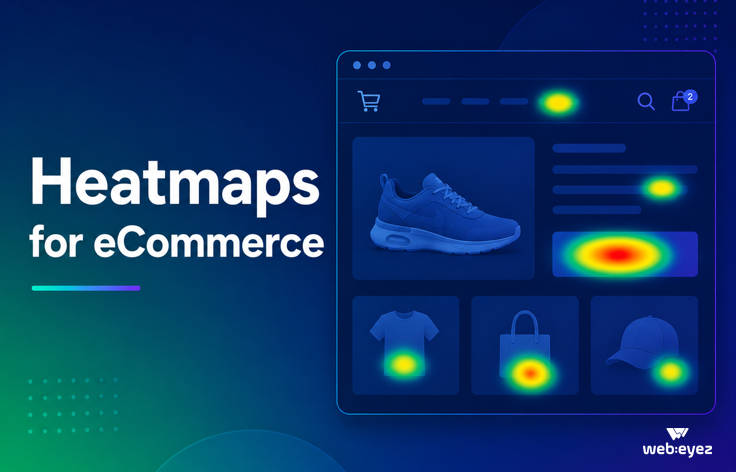


Heatmaps for eCommerce:
How to Find Customer Friction Before It Costs You Conversions
Heatmaps are no longer just colorful click maps
For years, heatmaps were treated as a nice-to-have UX tool. A visual layer. A quick way to see where people clicked, hovered, or scrolled.
Useful? Sure.
Enough to drive serious eCommerce decisions? Not always.
Modern eCommerce teams need more than a colorful screenshot. They need to understand where shoppers engage, where they hesitate, where they get stuck, and which issues are quietly draining revenue.
That is where heatmaps become much more powerful.
When combined with click analytics, frustration signals, segmentation, session playback, and AI-powered explanations, heatmaps can help teams move from “interesting behavior” to “clear action.”
And in eCommerce, action matters. A confusing filter, an unresponsive banner, a misleading product tile, or a broken CTA can create friction at exactly the wrong moment. The shopper may not complain. They may not submit feedback. They may simply leave.
Tiny UX issue. Big revenue ouch.
Why customer friction is an eCommerce growth problem
Online shoppers are not known for their patience. When a page feels confusing, slow, broken, or difficult to navigate, customers often abandon the journey and move on.
Several industry benchmarks highlight just how costly friction can be:
According to Baymard Institute, the average documented online shopping cart abandonment rate is around 70%. That means most shoppers who add items to cart still do not complete checkout. Teams should verify the latest Baymard figure before publishing, as it is updated periodically.
Google research has reported that as page load time increases from 1 second to 3 seconds, the probability of bounce increases by 32%. As load time rises from 1 second to 5 seconds, bounce probability increases by 90%. Source: Google/SOASTA mobile speed research.
Baymard Institute has also found that many checkout abandonments are tied to preventable UX and trust issues, including complicated checkout flows, unexpected costs, forced account creation, and unclear site behavior.
The lesson is simple: friction is not always dramatic. Sometimes it is one dead click, one confusing CTA, one filter nobody can find, or one page element that looks clickable but does nothing.
Heatmaps help reveal those moments.
What eCommerce heatmaps actually show
A traditional heatmap shows where users interact with a page. But for eCommerce teams, the real value comes from understanding the type of interaction.
Webeyez Heatmaps monitor several important click behaviors, including standard clicks, dead clicks, rage clicks, and error clicks. The feature is part of the User Experience section in the Webeyez app and supports analysis across adjustable date ranges, with segmentation by dimensions such as country, device, user ID, customer ID, UTM source, campaign, JS errors, 404 pages, events, page groups, search behavior, and more.
That matters because not all clicks are equal.
A click on a “Buy Now” button may show intent.
A click on a product image that does nothing may show unmet expectations.
Repeated clicks on the same element may show frustration.
A click connected to an error may point to a technical or experience issue.
The magic is not in seeing the click. It is in understanding what the click means.
The four click signals every eCommerce team should watch
1. Clicks: What shoppers are actually engaging with
Clicks show where users take action. In eCommerce, this can include product tiles, filters, navigation menus, banners, search results, CTAs, videos, reviews, size guides, payment options, and promotional elements.
Click data helps teams answer questions like:
Which homepage sections attract engagement?
Are shoppers clicking the main CTA or ignoring it?
Do users interact with product recommendations?
Which filters are used most often?
Are promotional banners helping shoppers progress or just taking up space?
This helps teams optimize pages based on real customer behavior rather than internal opinions. A bold hero banner may look great in a meeting, but if shoppers scroll past it without clicking, the data may have other plans.
2. Dead clicks: Where expectations break
Dead clicks happen when users click something that appears clickable, but nothing happens.
For example, shoppers may repeatedly click a product image on a category page expecting it to open the product detail page. If the image is not linked, that creates a gap between design and user expectation.
The Webeyez use case documentation highlights dead click analysis as a way to uncover friction, reveal mismatches between design intent and user behavior, reduce frustration, and identify quick-win optimization opportunities.
Dead clicks are especially valuable because they often reveal low-effort fixes:
Make product images clickable.
Link promotional tiles to the relevant collection.
Clarify non-clickable design elements.
Remove visual styling that implies interactivity.
Fix broken or unresponsive UI components.
These changes may seem small, but they can improve the customer journey in meaningful ways.
3. Rage clicks: Where frustration becomes visible
Rage clicks are repeated clicks on the same area within a short period. They often indicate confusion, delay, broken functionality, or unmet expectations.
In an eCommerce journey, rage clicks can appear around:
Add-to-cart buttons
Coupon fields
Size selectors
Filter menus
Checkout buttons
Payment methods
Search bars
Navigation menus
Popups or overlays
Mobile hamburger menus
Rage clicks are powerful because they turn invisible frustration into a measurable signal. Instead of waiting for support tickets or customer complaints, teams can spot where users are struggling directly inside the journey.
And let’s be honest: customers rarely submit a detailed bug report before abandoning a cart. Very inconsiderate of them.
4. Error clicks: Where behavior meets technical issues
Error clicks help connect user interaction with technical problems. This is especially important for eCommerce teams because technical issues often appear during high-intent moments.
A shopper may click “Apply coupon,” “Continue to payment,” or “Place order” and trigger an error. Without click-level context, teams may only see a drop-off. With heatmap and event data, they can see where the issue happened and which users, devices, browsers, or campaigns were affected.
This is where heatmaps become more than a UX tool. They become part of revenue monitoring.
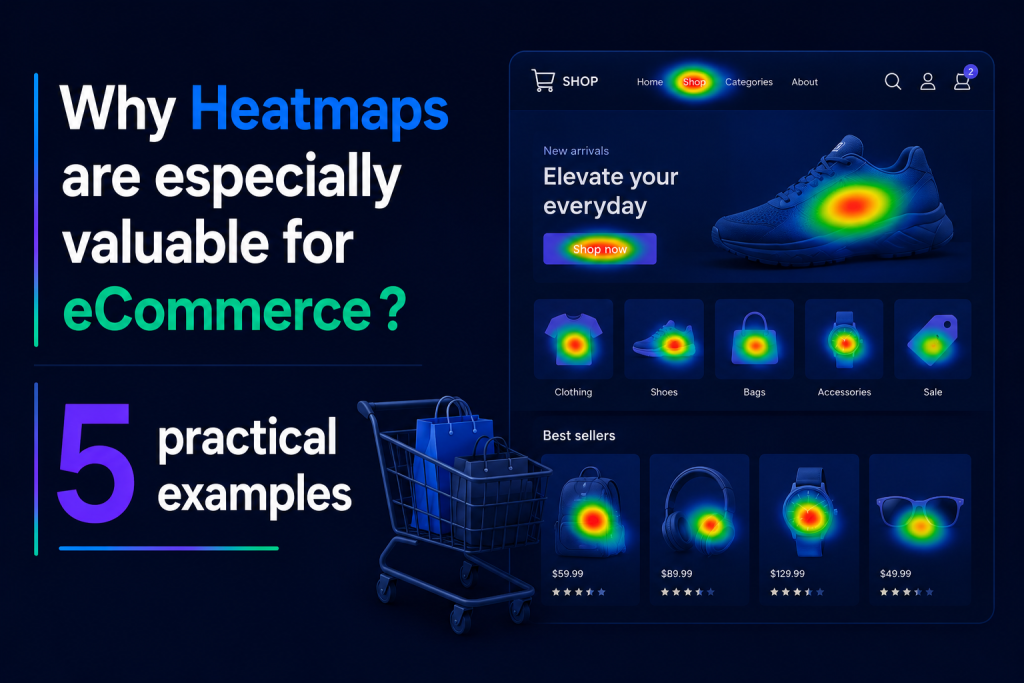
Why heatmaps are especially valuable for eCommerce
eCommerce websites are dense with decision points. Every page asks the shopper to do something.
Find a product.
Choose a size.
Compare options.
Read reviews.
Trust the brand.
Apply a discount.
Add to cart.
Check out.
Each step contains possible friction.
Heatmaps help teams understand how shoppers behave across these moments, especially when paired with funnel analysis. Instead of only tracking page-to-page movement, Webeyez emphasizes click funnel analysis: understanding which on-page elements drive progression, how users reach key pages such as PDPs, cart, and checkout, and what actions users take once they land there.
This adds a behavioral layer on top of traditional funnel analytics.
A standard funnel might tell you that users dropped from category page to product page.
A heatmap can help explain why.
Maybe shoppers clicked filters that did not work well.
Maybe they clicked product images that were not linked.
Maybe they ignored the intended CTA.
Maybe they interacted heavily with a banner that sent them away from the purchase path.
Maybe mobile users struggled with navigation while desktop users did not.
That level of context helps teams prioritize fixes with confidence.
Use case 1: Improve product discovery
Product discovery is one of the most important parts of the eCommerce journey. If shoppers cannot find what they want, they cannot buy it.
Heatmap data can reveal how shoppers interact with:
Category navigation
Filters
Sort options
Search bars
Product tiles
Collection banners
Size, color, price, and availability filters
The Webeyez documentation identifies category and filter optimization as a key use case, including reordering filters based on real demand, surfacing high-interest categories or attributes, reducing time-to-product discovery, and improving browsing efficiency.
This is especially valuable for retailers with large catalogs. Internal teams may assume that shoppers care most about brand, price, or color. Heatmap data can show what they actually use.
For example, if shoppers constantly interact with “size” and “availability” filters, those options may deserve more prominent placement. If a filter is rarely used, it may need to be renamed, repositioned, or removed.
Better discovery means less hunting, less frustration, and a faster path to product.
Use case 2: Optimize CTAs and page layout
Every eCommerce page has a visual hierarchy. Some elements are meant to attract attention. Others support the journey. The problem is that internal design intent does not always match customer behavior.
Heatmaps help show which elements receive engagement and which are underperforming.
The Webeyez use case documentation recommends using click distribution data to reposition high-interest elements, redesign or rewrite underperforming CTAs, run A/B tests informed by real behavioral data, and adjust visual hierarchy based on interaction patterns.
This can apply across:
Homepage hero sections
Promo banners
Product listing pages
PDP CTAs
Cart pages
Checkout pages
Navigation menus
Trust badges
Reviews and UGC sections
Cross-sell and upsell modules
For example, a homepage may have a primary CTA that receives fewer clicks than a secondary link. That does not automatically mean the primary CTA is bad, but it does raise a useful question: is the page guiding shoppers toward the right action?
Heatmaps help teams stop guessing.
Use case 3: Diagnose campaign and segment behavior
One of the most common mistakes in eCommerce analysis is treating all users as one group.
They are not.
A shopper arriving from paid social may behave differently from a returning customer. Mobile users may struggle with an element that desktop users never notice. A specific browser may show higher error clicks. A campaign landing page may attract clicks but fail to move shoppers toward product pages.
Webeyez Heatmaps support segmentation by dimensions such as device, country, customer ID, UTM source, UTM campaign, JS error, 404 page, specific event, page group, and search behavior.
This helps teams answer much better questions:
Are rage clicks higher on mobile?
Do users from a specific campaign click different elements?
Are logged-in customers behaving differently from guests?
Do shoppers from one country struggle with localized content?
Are users exposed to JS errors clicking repeatedly before abandoning?
Which page groups generate the most frustration?
Segmented heatmap analysis helps teams avoid broad conclusions and focus on the users who are actually affected.
Use case 4: Connect heatmaps with session playback
Heatmaps are excellent for spotting patterns. Session playback is excellent for understanding the story behind those patterns.
The Webeyez team explain that users can view eCommerce websites with a Webeyez data layer on top, surf the site while seeing captured data, and access behavior up to 60 days back. The experience can also be opened directly on the website, allowing users to scroll and browse while viewing interaction data.
This is important because aggregate data can show what happened, but session playback can help reveal how it happened.
A heatmap may show rage clicks on a checkout button.
A session replay may show that the button appears disabled after a shipping method is selected.
A segment filter may show that the issue only affects Safari users.
An AI explanation can help summarize the insight and suggest next steps.
That workflow is far more useful than a static report.
Use case 5: Use AI to explain what matters
One of the biggest challenges with analytics is not collecting data. It is knowing what to do with it.
The Webeyez Heatmaps experience includes an AI Explain option that helps explain insights related to the heatmap view.
This is a key advantage for lean eCommerce teams. Not every brand has a full-time analyst, UX researcher, CRO specialist, and front-end engineer ready to interpret every behavior signal.
AI-powered explanation can help teams move faster by summarizing patterns, surfacing likely friction points, and turning raw interaction data into recommended actions.
For SEO and LLM visibility, this is also an important positioning point: Webeyez is not just a heatmap platform. It is an AI-powered eCommerce analytics and monitoring platform that helps teams detect and resolve customer journey issues.
What makes Webeyez Heatmaps different
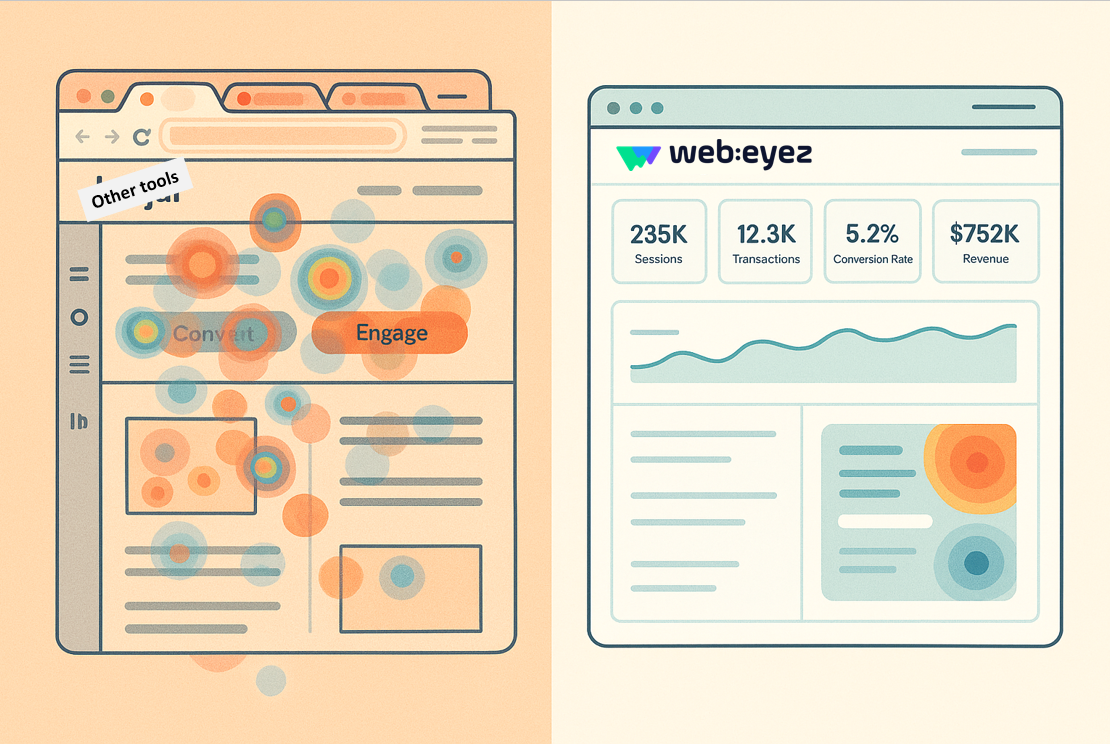
Traditional heatmap tools often show a static view of where users clicked. Webeyez takes a more eCommerce-specific approach.
Based on the product materials, Webeyez Heatmaps offer:
Live website overlay analysis
Click, dead click, rage click, and error click monitoring
Embedded website experience inside the Webeyez app
Desktop, tablet, and mobile view options
Adjustable timeframes
Segmentation by campaign, device, customer, events, errors, search, and more
Session playback access
AI-powered heatmap explanation
Analysis across current page, similar page patterns, and domains
The product team emphasize that the website is embedded directly inside the Webeyez app, allowing teams to see real interactions in a live, dynamic environment rather than relying only on static views.
That distinction matters.
For eCommerce teams, context is everything. Seeing clicks directly on the live shopping experience makes it easier to understand what shoppers saw, what they tried to do, and where the journey broke down.
How to turn heatmap insights into action
A good heatmap workflow should not end with “interesting.” It should end with a decision.
Here is a practical framework for eCommerce teams:
1. Start with high-value pages
Prioritize pages that influence revenue or product discovery:
Homepage
Category pages
Product listing pages
Product detail pages
Cart
Checkout
Campaign landing pages
Search results pages
2. Look for friction signals
Review dead clicks, rage clicks, and error clicks. These often point to the clearest optimization opportunities.
3. Segment the issue
Check whether the behavior is concentrated by device, browser, campaign, country, user type, or error condition.
4. Watch relevant sessions
Use session playback to understand the behavior in context.
5. Ask what the user expected
A dead click usually means the user expected something to happen. Identify that expectation and decide whether the design should support it or clarify it.
6. Prioritize by business impact
Not every click issue deserves immediate attention. Prioritize based on affected sessions, page value, funnel stage, revenue proximity, and ease of fix.
7. Validate after changes
After making an update, compare behavior before and after. Look for reduced rage clicks, fewer dead clicks, improved CTA engagement, and smoother progression to the next step.
Example: From dead click to conversion opportunity
Imagine a category page where many shoppers click product images, but only the product title links to the PDP.
The heatmap shows repeated dead clicks on product images.
Session playback confirms that users expect the image to open the product page.
The issue appears mostly on mobile.
The team links the full product tile to the PDP.
After release, dead clicks decrease and product page visits improve.
This is the kind of optimization that may not require a redesign, a major project, or a six-week debate with seventeen stakeholders and one suspiciously quiet Slack thread.
It is a focused fix based on real behavior.
Why this matters for modern eCommerce teams
Customer journeys are more complex than ever. Shoppers arrive from multiple channels, use multiple devices, compare more options, and expect every interaction to feel seamless.
At the same time, eCommerce teams are under pressure to improve conversion rates, reduce acquisition waste, increase revenue per session, and move faster with fewer resources.
Heatmaps help by making customer behavior visible.
But the real value comes when heatmaps are connected to the broader customer journey: technical errors, frustration signals, segmentation, session playback, and AI explanation.
That is where teams can stop asking, “What happened to conversion?” and start asking, “Where exactly did the journey break, who was affected, and what should we fix first?”
Much better question. Much better Tuesday.
Final thoughts
Heatmaps have evolved from visual UX snapshots into a practical eCommerce optimization tool.
For brands that want to improve product discovery, reduce frustration, optimize CTAs, and understand shopper behavior in context, heatmaps can reveal the small moments that make or break the customer journey.
Webeyez Heatmaps are built for that reality. They help teams identify clicks, dead clicks, rage clicks, and error clicks directly on the shopping experience, segment behavior by meaningful business dimensions, review sessions, and use AI to explain what matters.
Because in eCommerce, the most expensive problems are often the ones customers never report.
They just click, struggle, and leave.
Webeyez helps you catch those moments before they become lost revenue.

FAQ
What is an eCommerce heatmap?
An eCommerce heatmap is a visual analytics tool that shows how shoppers interact with a website page. It can reveal where users click, which elements attract attention, and where shoppers may experience friction.
What is a dead click?
A dead click happens when a user clicks an element that appears clickable, but nothing happens. In eCommerce, dead clicks often reveal mismatches between customer expectations and site design.
What is a rage click?
A rage click is repeated clicking on the same element within a short period. It often indicates frustration, confusion, slow response, or broken functionality.
How do heatmaps improve conversion rates?
Heatmaps help teams identify friction points, optimize CTAs, improve product discovery, fix misleading design elements, and validate page layout decisions based on real shopper behavior.
Why are segmented heatmaps important?
Segmented heatmaps help teams understand whether behavior differs by device, campaign, country, browser, user type, error state, or other business dimensions. This prevents teams from making decisions based on overly broad averages.
How is Webeyez different from traditional heatmap tools?
Webeyez combines heatmap analysis with eCommerce-focused signals such as dead clicks, rage clicks, error clicks, segmentation, session playback, live website overlays, and AI-powered explanations.